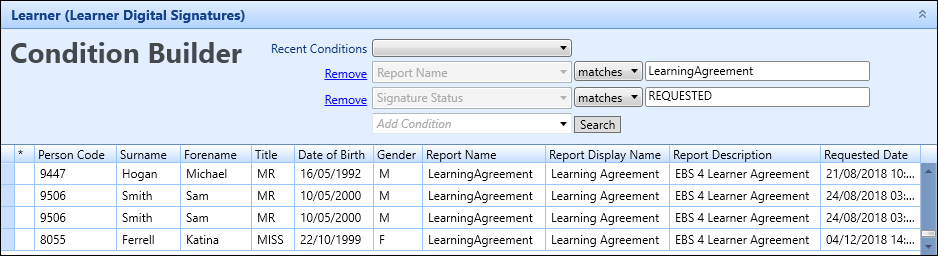
You can view and check on the status of reports you have sent to learners to sign using the digital signatures functionality in the following:
 Data Miner
You can use the Data Miner module to view all reports that have been produced using the digital signatures functionality.
To view digital signature records in data miner:
-
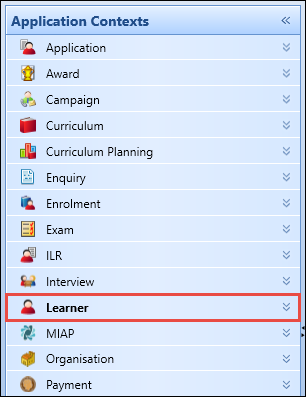
Select the Learner application context.
-
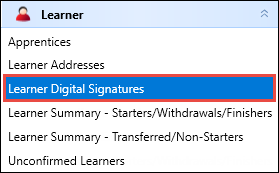
Select the Learner Digital Signatures view.
-
Use the Condition Builder to search for and display the digital signature records you want to view using the following conditions:
- Person Code
- Surname
- Forename
- Title
- Date of Birth
- Gender
- Report Name
- Report Display Name
- Report Description
- Requested Date
- Received Date
- Signature Status
- Created By
- Created Date
- Notes
The digital signature records are displayed in the grid.